
Canva Like a Champ: Tips, Tricks & Time-Savers
- Certificate of completion
- 60 minutes, self-paced
- Access on mobile or laptop
- 1,000+ more courses included
Explore advanced Canva features to elevate your classroom materials. Create professional-quality resources that engage and inspire students.

Description
How can you unlock Canva's full potential to save time and create stunning designs? Are you ready to move beyond the basics and design like a true Canva pro? Canva isn't just an easy-to-use design tool; it's a powerhouse of features designed to simplify your workflow and maximize creativity. Many educators only scratch the surface of what Canva can do, missing out on hidden gems that make designing faster, easier, and more impactful. Join technology integration specialist Lauren Boucher as she reveals Canva's best-kept secrets. You'll learn clever shortcuts, creative hacks, and lesser-known features to level up your designs in record time. From advanced editing tools to time-saving templates, this session will transform the way you use Canva in your classroom and beyond. Lauren's expertise will give you the confidence to navigate Canva like a champ, creating beautiful, professional-quality visuals that engage students and enhance learning.
Objectives
- List lesser-known Canva tools and their functions.
- Explain how advanced Canva features improve design efficiency and quality.
- Use shortcuts and hacks to create a polished Canva design efficiently.
- Evaluate different Canva tools to determine which best meets your project needs.
- Assess the effectiveness of Canva designs in engaging students and supporting instruction.
- Design an advanced Canva project integrating multiple tools, features, and creative techniques learned.
Key Take Aways
- Identify Canva's hidden tools and features to create designs efficiently.
- Implement advanced editing techniques to enhance the quality of your visuals.
- Utilize shortcuts and time-saving hacks to streamline your design workflow.
- Integrate Canva's creative features into lesson materials, presentations, and student projects.
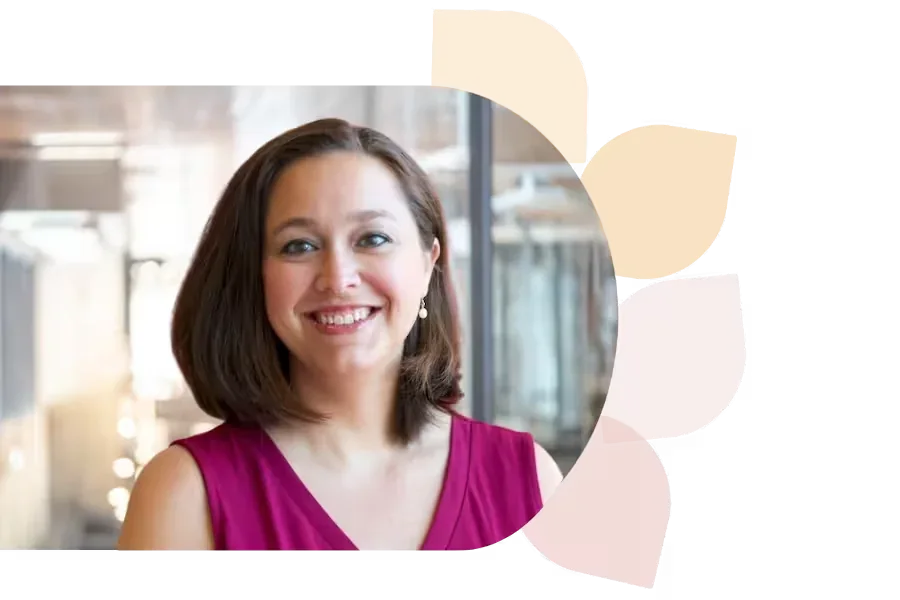
Lauren Boucher
Lauren Boucher has 18+ years in public education, teaching 3rd grade, gifted K-8, and working as a Digital Teaching and Learning Coach. Now a Southeast Regional Consultant for the NC Department of Public Instruction, she shares innovative ed tech practices nationwide.
Specializes In: Digital Teaching & Learning Consultant



Ready to grow?
Unlock new strategies and skills—wherever you are in your teaching journey.
Get started free